Group types
Last updated June 9, 2026
The default for the terminology term well be "member", "Front", "Fronting", "Systems". If you want to change your terminology: Changing Terminology.
"Member" Groups
Maximum of nested groups of 3 and note that primary(parent/first/top) groups also do count.
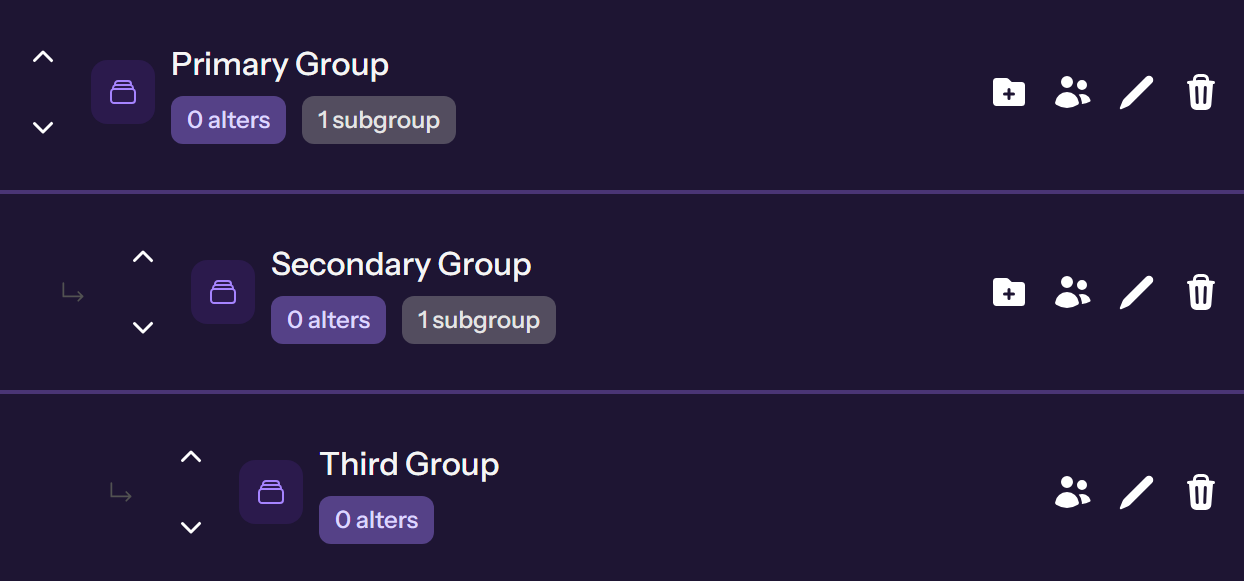

Primary Groups
Starting off, if you haven't already making a "+ New Group". There well be four different icon meaning different actions

Sub Adds
- Folder icon well disappeared when reached at the max of 3.
For example let say we made a group called "Roles" and when clicking the folders it automatically add "Roles" to the parent group

Person Action (Removed)
Abilities to add "members"(alters) removed due to slowing down the servers but currently looking for another way to mass add groups. Suggested checking the roadmap for possible upcoming features

Edit Action
Pen icon is where you can edit the existing group.

Delete Action
Well only delete the selected group while any thing under parens/subgroups well need to be deleted manually