Sub-System Setup & Management

Sub-Systems in PluralSpace allow for better categorization and organization of your members. Sub-Systems can be linked to an existing system, or a member directly.
Creating a Member Sub-System
To make a sub-system for a member, you simply go to that member's profile, and there will be a section that allows you to see the sub-systems that are linked to that member.

Here, you can see other systems that are linked to this member, or create a new sub-system. When you click the button to create a new member sub-system, it will bring up a few options for you.
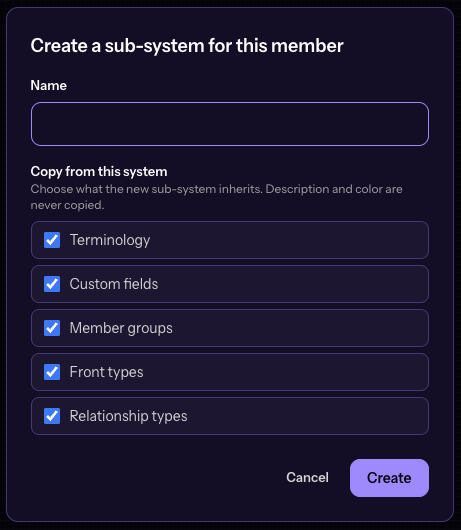
You can enter the name of the sub-system, and then depending on what you leave checked it will copy items from the member's system to the new sub-system automatically. Want the same terminology? Custom Fields? Groups? Anything checked, automatically gets created on the new sub-system for the member.
Link an existing System as a Sub-System
Already made multiple systems? That's fine! You can now nest them properly as you need. Just go to your system's settings, and under the new sub-system settings you can easily nest under an existing system.
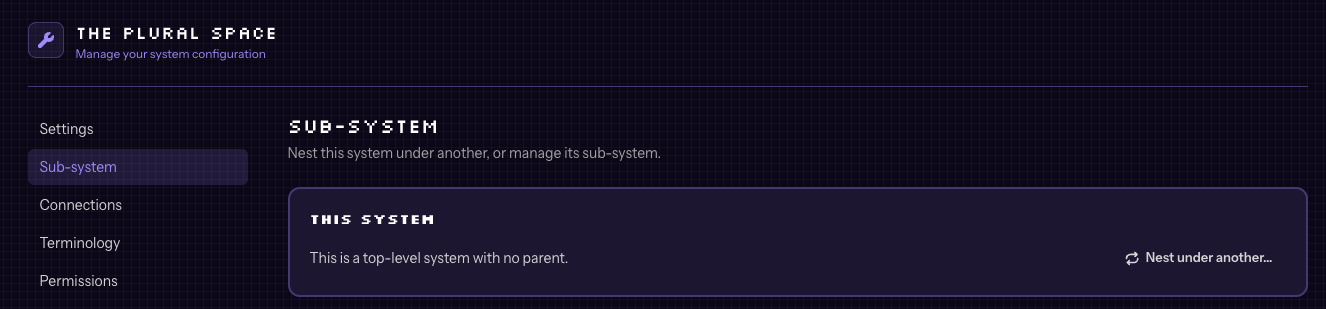
See all Sub-Systems of a System
The same new settings page for sub-system management will also show you all of the sub-systems that exist for the system you are viewing. This includes system nested and member nested systems.
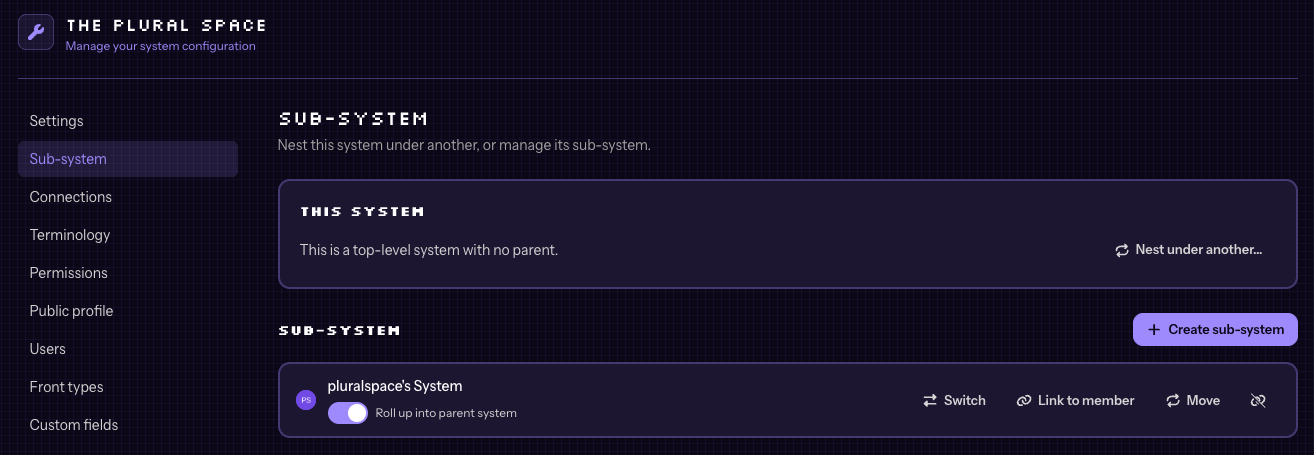
You will see a few options for the sub-systems.
Roll Up
Rolling up to the parent will allow you to see the members and stats all in the parent system. This feature is toggle-able on each sub-system individually, so if you have a system you don't want rolled up you can leave it toggled off.
Show anchor member inside
Checking this box will show the member in both systems.
Switch
This is a button to quickly switch to that system's context in PluralSpace.
Link to Member
Forgot to link a system to a member? That's okay! You can easily link the sub-system to a member here as well.
Move
Accidentally linked to the wrong system? Easily move the sub-system to another system
Detach
Accidentally made a system a sub-system? Easily detach the system so it's on it's own again.