Permissions for roles

Drexel
· June 11, 2026
In PluralSpace we have use a different setup for how users are invited to your system. When inviting, you can assign them a role. The role options by default are Admin, Partner, Trusted Friend, and Friend.
Permissions
You can customize the permissions that a role has in your permission settings.
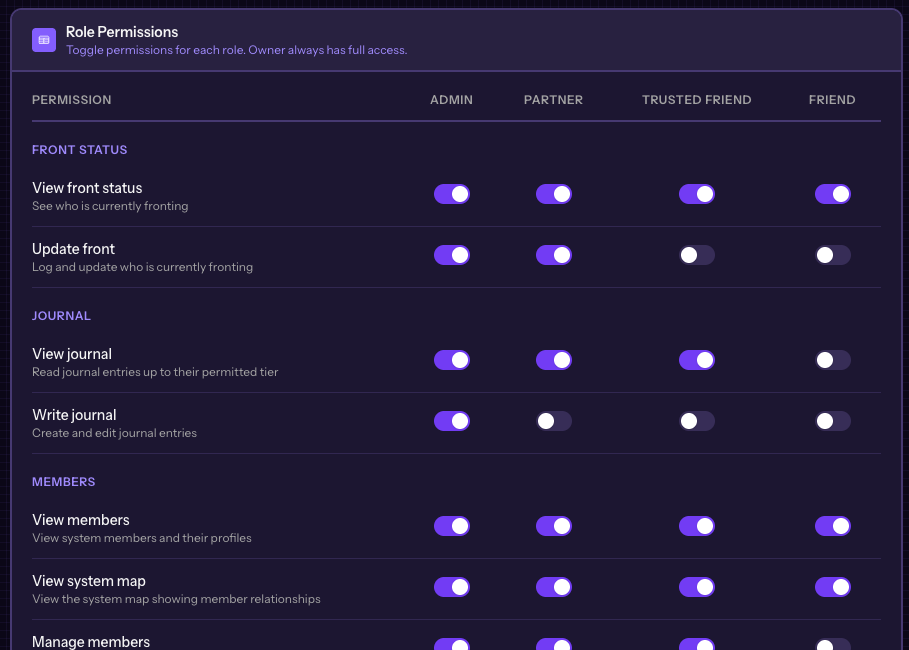
Some items in PluralSpace are locked to owner only, like the Chat. This is to keep us within regulations and not get classified as a Social Media application by the app stores.
You can change the permissions at any time, and the people who have been invited with that role will have those changes shown in real time.
Was this helpful?