Public Profiles

Note: Public profiles are early access. New access to public profiles is granted weekly as we build out functionality.
Public Profiles provide a website link you can share with anyone and they well see a list of alters that you allow them to see. On PluralSpace Public Profile give you a way to display the members of your system that you want on a customizable page. Right now, customization is limited while we work on the functionality of public profiles.
Private or "add friends" profile give your friend access to view or manage your dashboard depending what permission role you given to your friend.
Customizing your Public Profile
In your system settings, you will have the settings for your public profile. In there, if you haven't already, you can request access to the new feature. If you have access, you will see a lot of options. You can enable/disable your public profile anytime, and the profile slug will remain yours. You don't have to worry about someone else taking it even if your public profile is disabled.
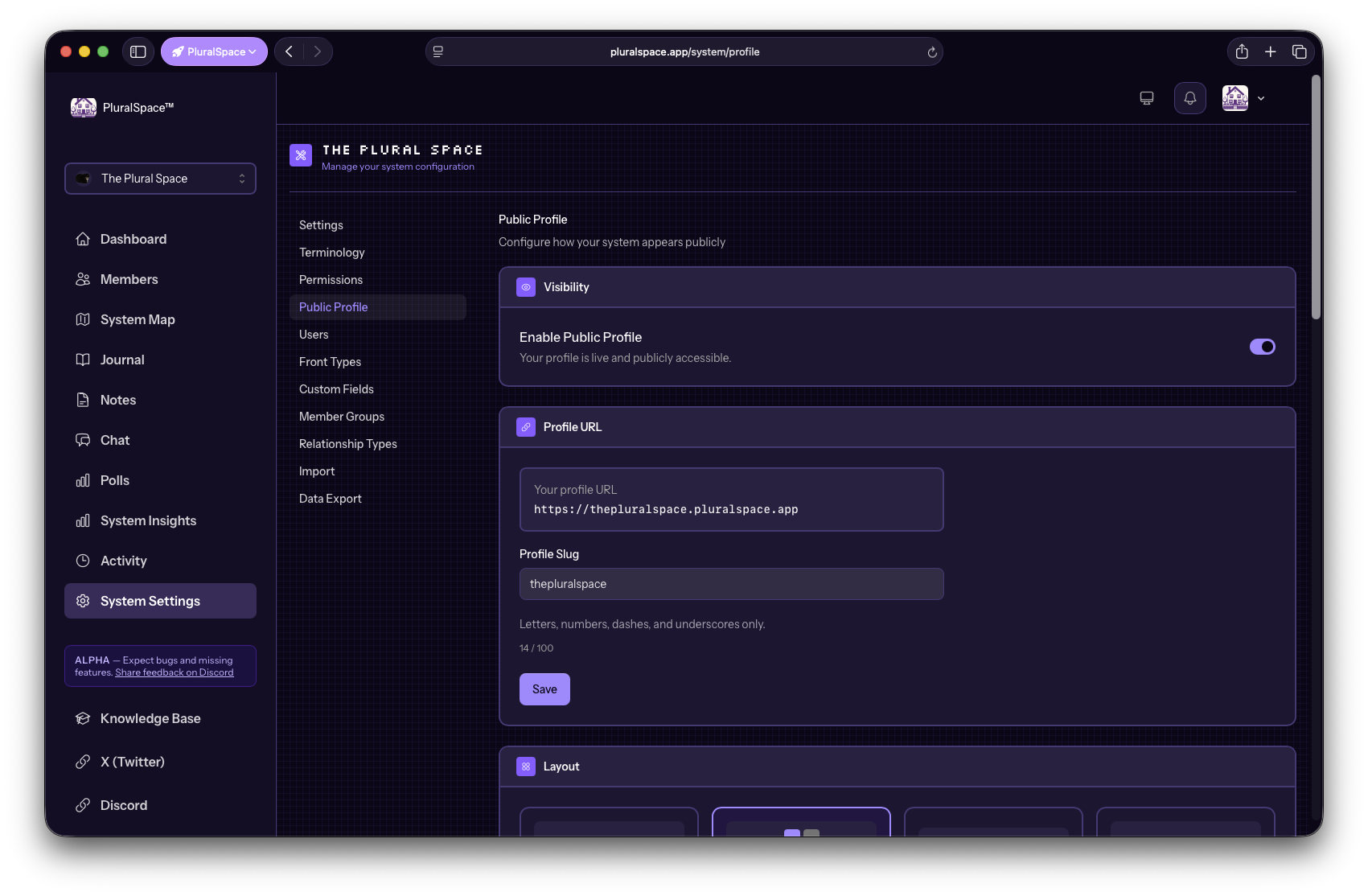
All of the options available to you currently are:
- Profile Slug
Layout

Classic

Card Grid

Minimal

Bold
- Theme Options
- Colors
- Font
- Spacing
- Border Radius
- Custom CSS
Yes, custom CSS. If you know how to code, you can write some custom CSS that will be able to change how the page looks. Keep in mind, if this feature is used to remove PluralSpace branding, or display anything that goes against PluralSpace's Terms of Service, you will have access to public profiles removed.
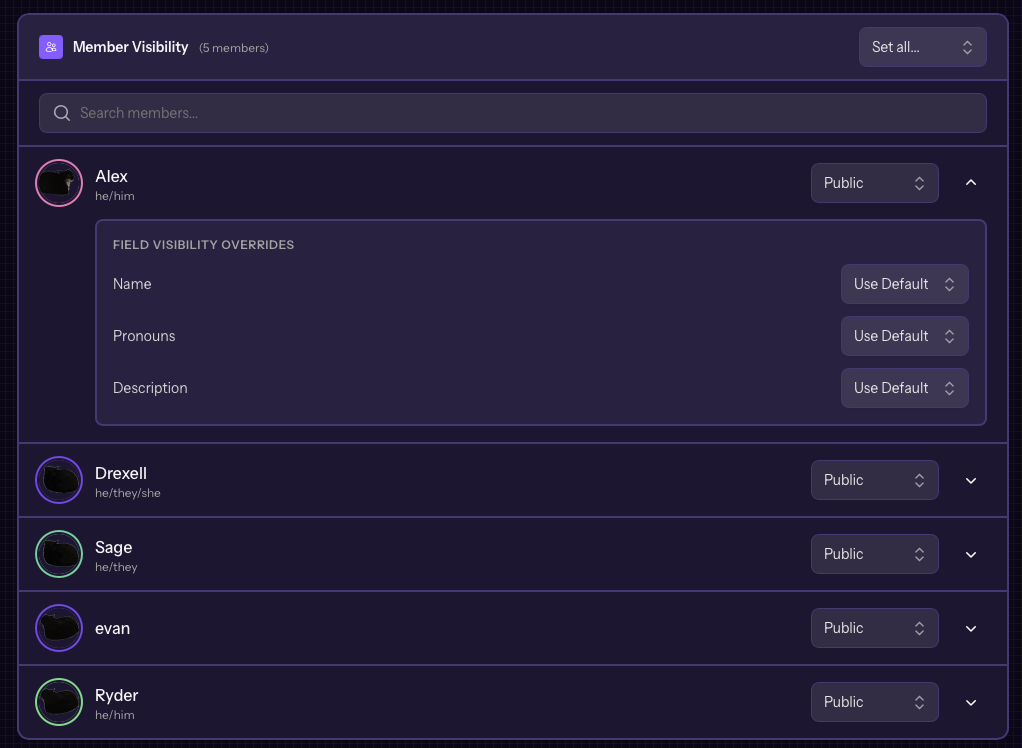
Member Visibility
At the heart of public profiles are of course your members. We have it set up so you can configure your members and certain information you want shown.
Something to note:
There no requirements just click “request” and developer well give you access when they are available. (Well be notified in the system)
The visibility of members is based on 2 factors:
- Is the member's visibility set to Everyone
- Is the public profile visibility set to Public
This means you can rest easy without worrying about going through all of the profile settings to hide a specific member that might already be set to owner only.