Front Notes

Datura
· June 6, 2026
- If you apply a note, whether its a single or group front, it will show up on their individual page(s) when the front ends. Example in picture.
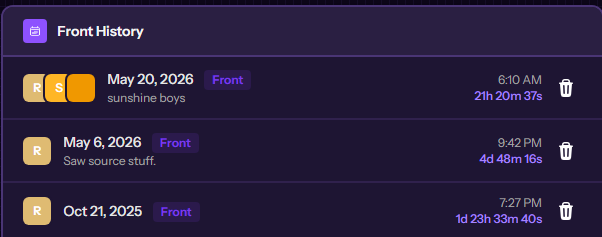
Individual notes
- The alter need to manually separately add the alter (Video 1)
- Example: “Name” was note first as sad and when adding Ace as jolly, “Name” didn’t get Jolly because that wasn't it first note
- Video link example -> Video 1
- Example: “Name” was note first as sad and when adding Ace as jolly, “Name” didn’t get Jolly because that wasn't it first note
Together notes
- If you have added “Name” and Ace together with Jolly and then remove “Name” and add a different note like sad for Ace it wont change as it stay Jolly for all the added alters
- Video link example -> Video 2
Tags:
customize
Was this helpful?